Rojgar Sangam Profile Lock? Final Submission Ke Baad Edit
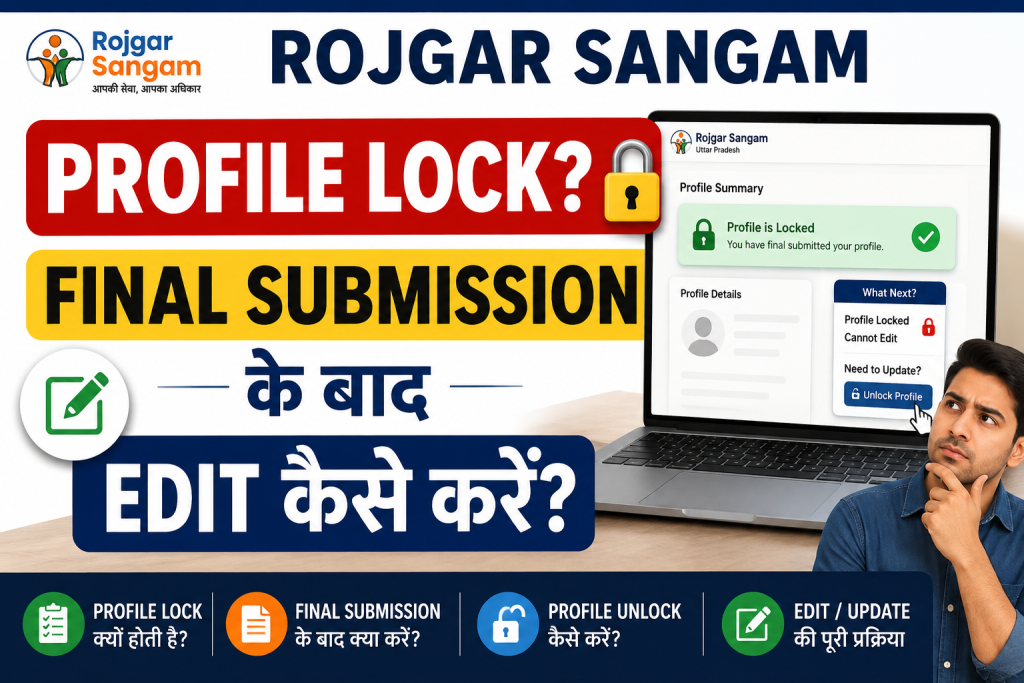
Rojgar Sangam profile भरते समय अगर आपने Final Submission & Lock पर click कर दिया और बाद में कोई गलती दिखी, तो चिंता होना स्वाभाविक है।
हो सकता है नाम, qualification, experience, skill या दूसरी profile detail गलत रह गई हो। अब सवाल है—locked profile को दोबारा edit कैसे करें?
सबसे पहले यह समझ लें कि Final Submission & Lock कोई random error नहीं है। Official Job Seeker manual में इसी button को profile में भरी गई details को final save करने के लिए दिखाया गया है।
Rojgar Sangam Profile Lock का मतलब क्या है?
Rojgaar Sangam Job Seeker profile में Personal Details, Permanent Address, Physical Details, Career Profile, Educational Qualification, Experience, Language और Skills जैसी जानकारी भरी जाती है।
Official Job Seeker manual में इन sections को पूरा करने के बाद Final Submission & Lock button इस्तेमाल करने के लिए कहा गया है।
इसलिए अगर button दबाने के बाद editing सीमित दिखाई दे, तो पहले यह check करें कि समस्या वास्तव में profile lock की है या केवल किसी एक field की।
Final Submission के बाद Profile Edit हो सकती है?
Official Rojgaar Sangam Terms page के अनुसार user अपने resume में दी गई information को खुद update कर सकता है और यह service free है। Terms में user को अपने data में add, modify या change करने का अधिकार भी बताया गया है।
लेकिन यहां एक जरूरी फर्क है।
Official Job Seeker manual Final Submission & Lock के बाद profile unlock करने के लिए कोई साफ universal step-by-step तरीका नहीं बताता। इसलिए यह मान लेना सही नहीं होगा कि हर account में एक ही Unlock button जरूर दिखाई देगा।
Edit Button ही नहीं दिख रहा तो क्या करें?
यही सबसे important situation है।
अगर Final Submission के बाद:
तो profile में random बदलाव न करें।
Official Complaint/Suggestion page पर नाम, mobile number, email और problem description देकर complaint submit करने की सुविधा मौजूद है। उसी page पर 155330 और option 2 Rojgaar Sangam support के लिए दिया गया है।
क्या Dashboard में “Unlock Profile” Button मिलता है?
कुछ third-party guides दावा करते हैं कि dashboard में सीधे Unlock Profile option मिलता है।
लेकिन current official Job Seeker manual में Final Submission & Lock तो साफ दिखाया गया है, पर उसके बाद इस्तेमाल करने के लिए कोई universal Unlock Profile button document नहीं किया गया है।
अगर आप applying कर रहे हैं और अपने dashboard पर ऐसा option देखते हैं, तो portal के निर्देश के अनुसार इसका इस्तेमाल किया जा सकता है। लेकिन अगर option नहीं दिखता, तो किसी दूसरी website के screenshot के आधार पर परेशान न हों। Portal का interface account या समय के साथ अलग हो सकता है।
Dummy Qualification डालकर Profile Unlock करनी चाहिए?
नहीं, यह तरीका avoid करना बेहतर है।
कुछ unofficial competitor guides profile unlock करने के लिए fake या temporary qualification जोड़ने की सलाह देते हैं।
यह safe तरीका नहीं है।
Official terms में user से profile में सही और complete information देने की अपेक्षा की गई है। False, distorted या misleading information नहीं देनी चाहिए।
अगर वास्तव में नई qualification है, तो उसे जरूर add करें। लेकिन सिर्फ profile unlock करने के लिए ऐसी qualification न जोड़ें जो आपके पास है ही नहीं।
Qualification में गलती हो तो क्या करें?
Education section खोलकर existing qualification देखें।
अगर edit option उपलब्ध है, तो course, board/university, passing year, marks या दूसरी गलत detail सही करें।
अगर आपने registration के बाद सच में नई qualification पूरी की है, तो उसे add किया जा सकता है। Official FAQ बताता है कि qualification और skill जोड़ने जैसी services online उपलब्ध हैं।
लेकिन नई qualification add करना और पुरानी गलत entry correct करना अलग चीजें हैं।
गलत BA entry को ठीक करने के लिए वही BA दोबारा add करना सही solution नहीं है।
Experience गलत है तो क्या करें?
My Resume में Experience section खोलें।
Official manual में New Experience option के जरिए industry, category/function, role, annual CTC, employment type और employer-related details add करने का तरीका दिखाया गया है।
अगर existing experience के साथ edit icon उपलब्ध है, तो correction करें।
अगर entry locked है और editing नहीं मिल रही, तो support से correction के बारे में पूछें।
Skills गलत हैं तो क्या करें?
Skills section में existing skill को check करें।
Official Job Seeker manual New Skill button और Save Skill option दिखाता है।
अगर आपको सच में नई skill मिली है, तो उसे add करना ठीक है।
लेकिन गलत पुरानी skill हटाने या बदलने के लिए पहले available edit/delete option देखें। Option न मिलने पर duplicate या fake entry न बनाएं।
Personal Details गलत हों तो क्या करें?
Name, date of birth, gender, parents’ details या address जैसी information में correction करते समय खास सावधानी रखें।
Official manual Personal Details और Permanent Address को Job Seeker Resume का हिस्सा बताता है।
अगर field editable है तो official documents देखकर correction करें।
अगर sensitive field locked है, तो support को साफ बताएं कि कौन-सी information गलत है और सही information क्या होनी चाहिए।
Correction Save हो गई लेकिन दिखाई नहीं दे रही?
यहां 24–48 घंटे वाली बात काम आती है।
Official Rojgaar Sangam Terms page में लिखा है कि user के किए गए changes या modifications को effect में आने में 24–48 hours लग सकते हैं।
इसलिए अगर correction successfully save हो चुकी है लेकिन नई detail तुरंत नहीं दिख रही, तो बार-बार वही entry submit न करें।
कुछ समय बाद दोबारा check करें।
Profile Lock और Login Lock एक ही Problem है?
नहीं।
यह फर्क समझना जरूरी है।
Profile lock का मतलब profile information edit करने में problem हो सकती है।
Login problem का मतलब account में sign in ही नहीं हो रहा।
अगर आप login page तक पहुंच रहे हैं लेकिन password याद नहीं है, तो official Job Seeker login page का Forgot Password option इस्तेमाल करें।
Password reset करने से यह जरूरी नहीं कि Final Submission वाला profile lock भी हट जाए।
Forgot Password से Final Submission Lock हट जाएगा?
इसे guaranteed तरीका न मानें।
Forgot Password का मुख्य काम login password recover या reset करना है।
Final Submission & Lock resume/profile से जुड़ा अलग action है। Official manual दोनों को अलग stages में दिखाता है।
इसलिए password reset के बाद login हो सकता है, लेकिन profile editing फिर भी restricted रह सकती है।
क्या नई Rojgar Sangam Profile बना लेनी चाहिए?
सिर्फ correction के लिए duplicate account बनाना अच्छा पहला कदम नहीं है।
Official Terms page multiple resumes/accounts के unreasonable use पर action लेने का अधिकार बताता है।
अगर existing account accessible है, तो पहले उसी profile को correct करने की कोशिश करें।
Profile locked हो तो support से मदद लें।
Final Submission से पहले क्या Check करना चाहिए?
यह सबसे आसान बचाव है।
Final Submission & Lock दबाने से पहले पूरी profile ऊपर से नीचे तक एक बार जरूर पढ़ें।
खास तौर पर:
Official manual में Final Submission & Lock को updated details save करने के अंतिम step के रूप में दिखाया गया है।
इसलिए button दबाने से पहले दो मिनट की checking बाद में बहुत समय बचा सकती है।
Job Apply करने से पहले Profile Correct करना जरूरी है?
Profile में सही qualification, experience और skills रखना महत्वपूर्ण है क्योंकि Rojgaar Sangam job seekers और employers को profile-related information के आधार पर जोड़ता है। Official About page बताता है कि qualification, experience और skill से match होने वाले registered candidates को vacancies की information भेजी जा सकती है।
इसलिए बड़ी गलती दिख रही हो तो उसे ignore करके जल्दबाजी में application न करें।
पहले profile correction का सही रास्ता देखें।
Rojgar Sangam Final Submission के बाद Edit करने का सही तरीका
पूरी process को आसान तरीके से याद रखें:
Login → My Resume/Profile → गलत Section खोलें → Edit/Update option Check करें → सही Detail भरें → Save करें → जरूरत हो तो Final Submission दोबारा पूरा करें।
अगर edit या unlock option ही नहीं मिलता:
Complaint/Suggestion → Problem बताएं → 155330 Option 2 से Support लें।
Official sources profile data update करने की अनुमति बताते हैं, लेकिन current Job Seeker manual Final Submission के बाद सभी users के लिए कोई एक guaranteed unlock button या “secret trick” नहीं बताता।
अक्सर पूछे जाने वाले सवाल
अंतिम शब्द
Rojgar Sangam profile Final Submission के बाद lock दिख रही है तो तुरंत नया account बनाने या कोई unofficial trick इस्तेमाल करने की जरूरत नहीं है।
पहले My Resume में genuine Edit या Update option देखें। अगर correction save हो जाती है, तो official terms के अनुसार change को effect में आने के लिए 24–48 घंटे तक समय लग सकता है।
अगर profile पूरी तरह locked है और edit option नहीं मिलता, तो 155330, option 2 या official Complaint/Suggestion form इस्तेमाल करना सबसे सुरक्षित रास्ता है।